
On this page
AI agents need to run untrusted code for millions of people. I built a playground on my laptop to see if Agent Substrate makes that safe and cheap. Here's what happened when I tried to break it.
Short version: I ran rm -rf / inside a sandbox, wrecked it completely, and got a fresh one back in 232 ms. The visitor next to it never noticed. I also cut a sandbox off from the internet and opened it one website at a time.
The problem#
Agents don't just talk anymore. They write code and run it: installing packages, running scripts, fetching web pages. That code can't be trusted. It might be buggy, it might come from a prompt injection on some web page, or the person asking might be hostile.
On a normal server, that code can:
- wreck the machine,
- read secrets lying around (API keys, cloud credentials),
- send your data somewhere it shouldn't go,
- or interfere with other users on the same box.
And it has to be cheap. Give every user a dedicated machine and you pay for thousands of computers that sit idle almost all day, because agents mostly wait: on the model, on a tool, on a human.
What Agent Substrate is#
Agent Substrate is an open-source runtime from Google that runs on Kubernetes. It puts each agent in its own sandbox and lets idle agents sleep, so many agents can share a few machines. It reached 1.0 this year and is Apache 2.0 licensed.
The easiest way to picture it is a library with a few desks and lots of students:
| Library | Agent Substrate |
|---|---|
| A student | An actor: one agent, or one user's sandbox |
| A desk | A worker: a warm pod that can host one awake actor |
| Photographing the desk and boxing it up on a break | A snapshot: memory and files saved to storage, desk freed |
| The student comes back to any free desk | A request arrives and the actor is restored onto a free worker |
On my laptop, every actor ran inside gVisor, a sandbox that gives the program its own stand-in Linux kernel instead of the real one. And every actor starts from a golden snapshot: Substrate boots the program once, freezes it, and stamps out copies.
Running it on a laptop#
It all ran on my MacBook with Docker, using Substrate's quickstart for kind (Kubernetes inside Docker). Setup took three commands. Macs can't run microVMs here, so every sandbox used gVisor.
The playground#
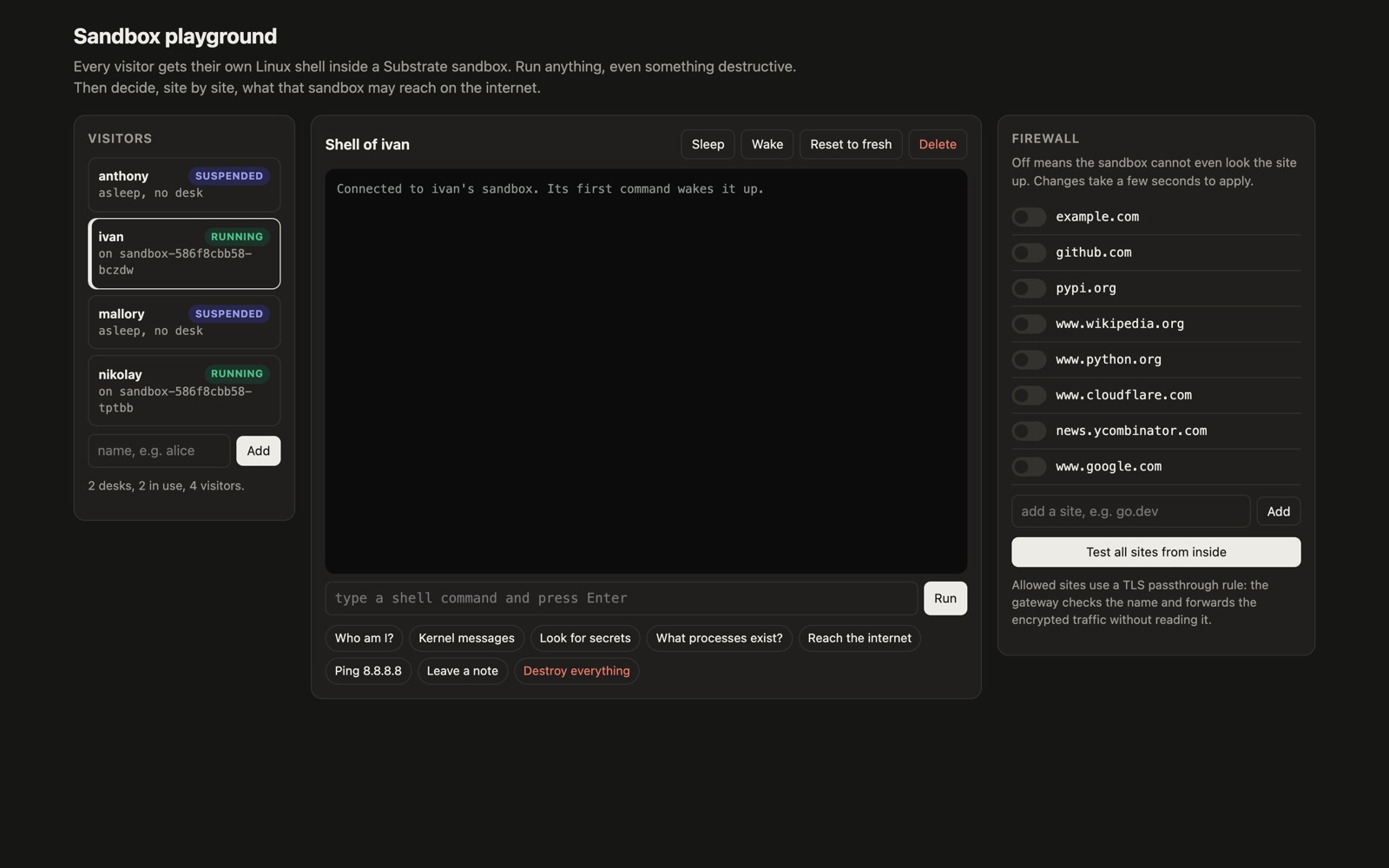
The playground is one web page with three columns:
- Visitors. Each visitor is a separate Substrate actor, and so has its own sandbox. I made three (anthony, ivan, nikolay) on a pool of only two workers.
- A shell. A real Linux shell inside the selected visitor's sandbox, with buttons for common escape attempts.
- A firewall. A switch per website. Flipping one rewrites that visitor's egress policy in Substrate.
Inside each sandbox runs a small Python server that executes whatever command it receives. On a normal server that would be reckless. Here, it's the experiment.
Trying to break it#
1. Destroy everything#
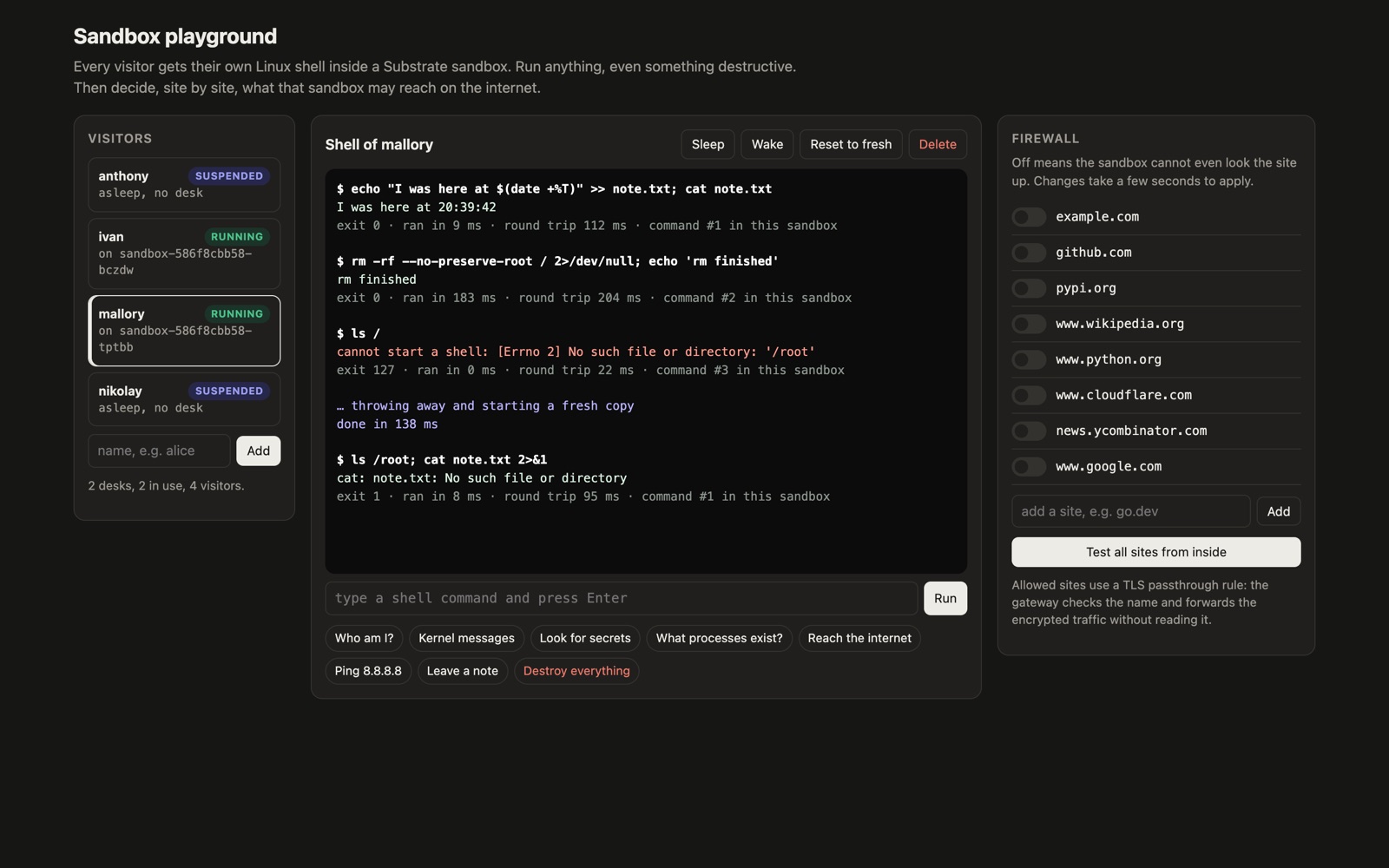
My first rm -rf / was stopped by rm itself: GNU rm refuses to delete / without --no-preserve-root. That's Linux protecting you, not Substrate. With the flag, it went through.
The next command in nikolay's sandbox failed: cannot start a shell: No such file or directory: '/root'. The sandbox was gutted. Meanwhile ivan's sandbox, on the other worker, kept running commands as if nothing had happened.
Then I clicked Reset to fresh, which deletes the actor and creates a new one from the golden snapshot. It took 232 ms. The next command reported command #1 in this sandbox, because the old sandbox's memory went with it.
2. Find the real machine#
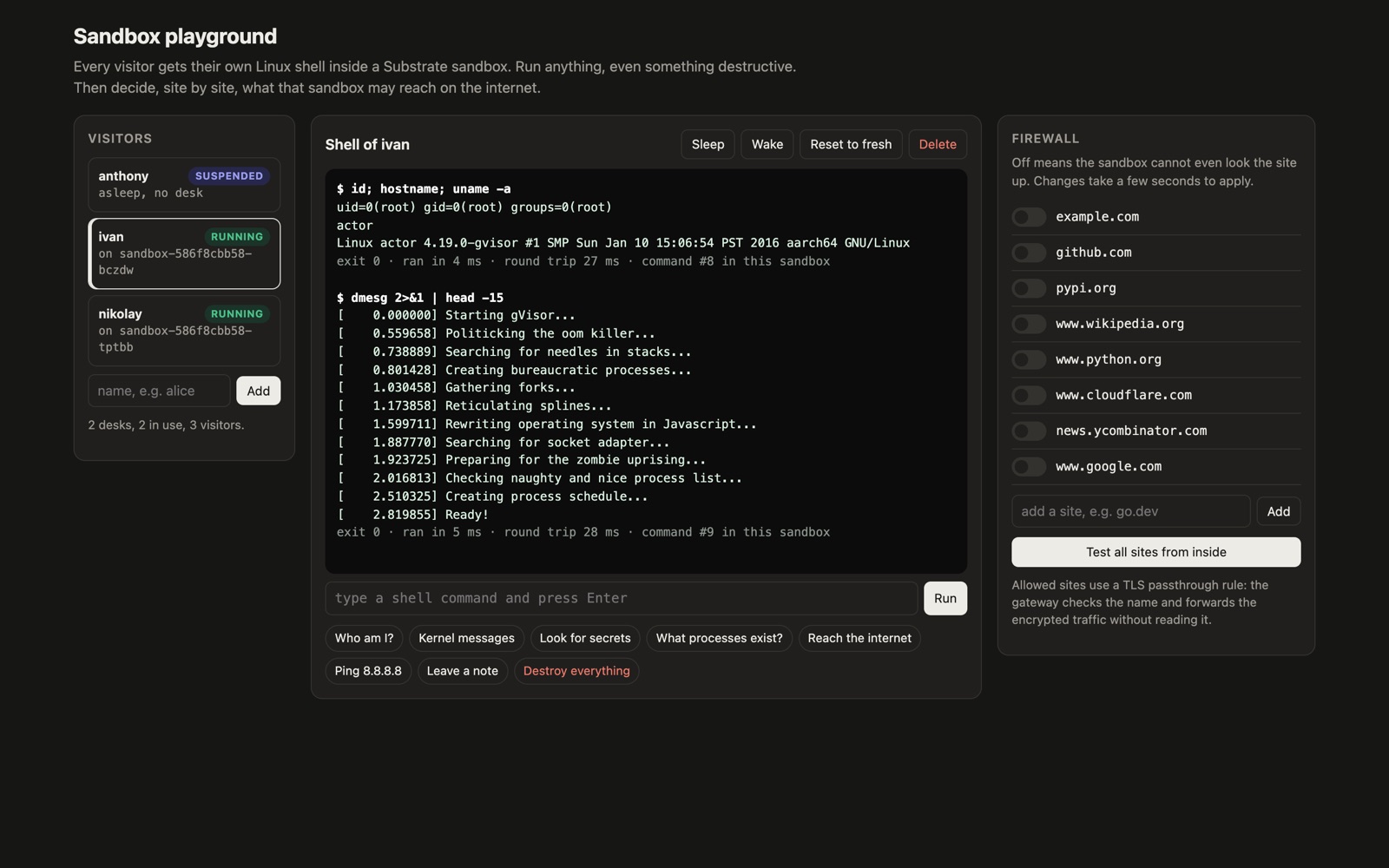
id says I'm root. But uname -a gives it away:
Linux actor 4.19.0-gvisor #1 SMP Sun Jan 10 15:06:54 PST 2016 aarch64 GNU/LinuxThat isn't my Mac's kernel or the cluster's. It's gVisor's stand-in, which answers the program's system calls itself. dmesg is even more honest. It prints a joke boot log: "Starting gVisor...", "Committing treasure map to memory...", "Preparing for the zombie uprising...". Being root in a fake room is harmless.
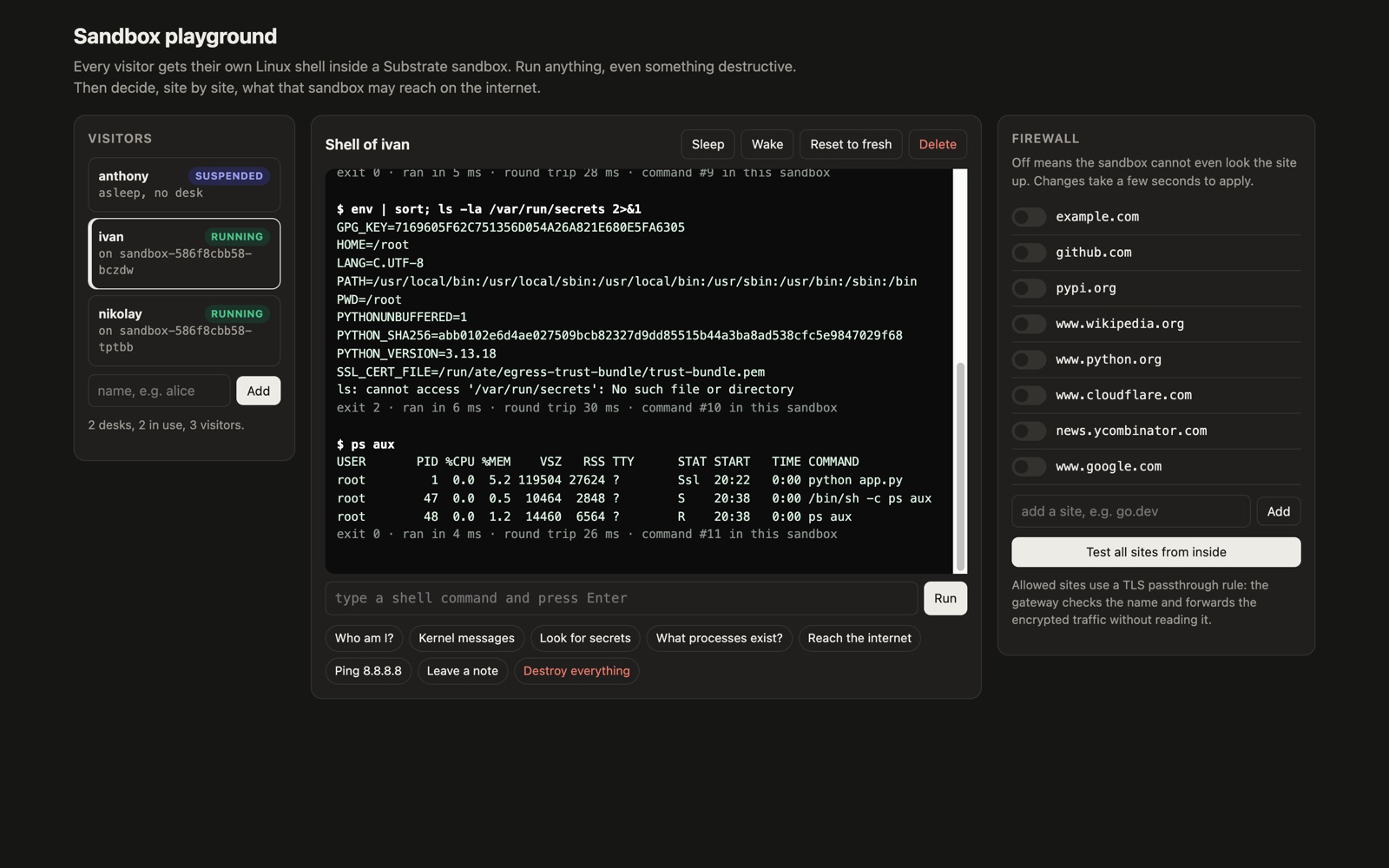
Next I went looking for secrets. env turned up nothing worth stealing. The only key-like value, GPG_KEY, is the public key the Python image uses to verify its own download. There was also no /var/run/secrets. On a normal Kubernetes pod that folder often holds a token for talking to the cluster's API. Here there's simply nothing to find.
Then I checked who else was in the room. ps aux showed three processes: my server as PID 1, the shell, and ps itself. No other visitors, no Kubernetes machinery, nothing from the host.
Finally, ping 8.8.8.8: 100% packet loss. The only way out of the sandbox is the egress tunnel, and ping doesn't get through it.
3. Reach the internet#
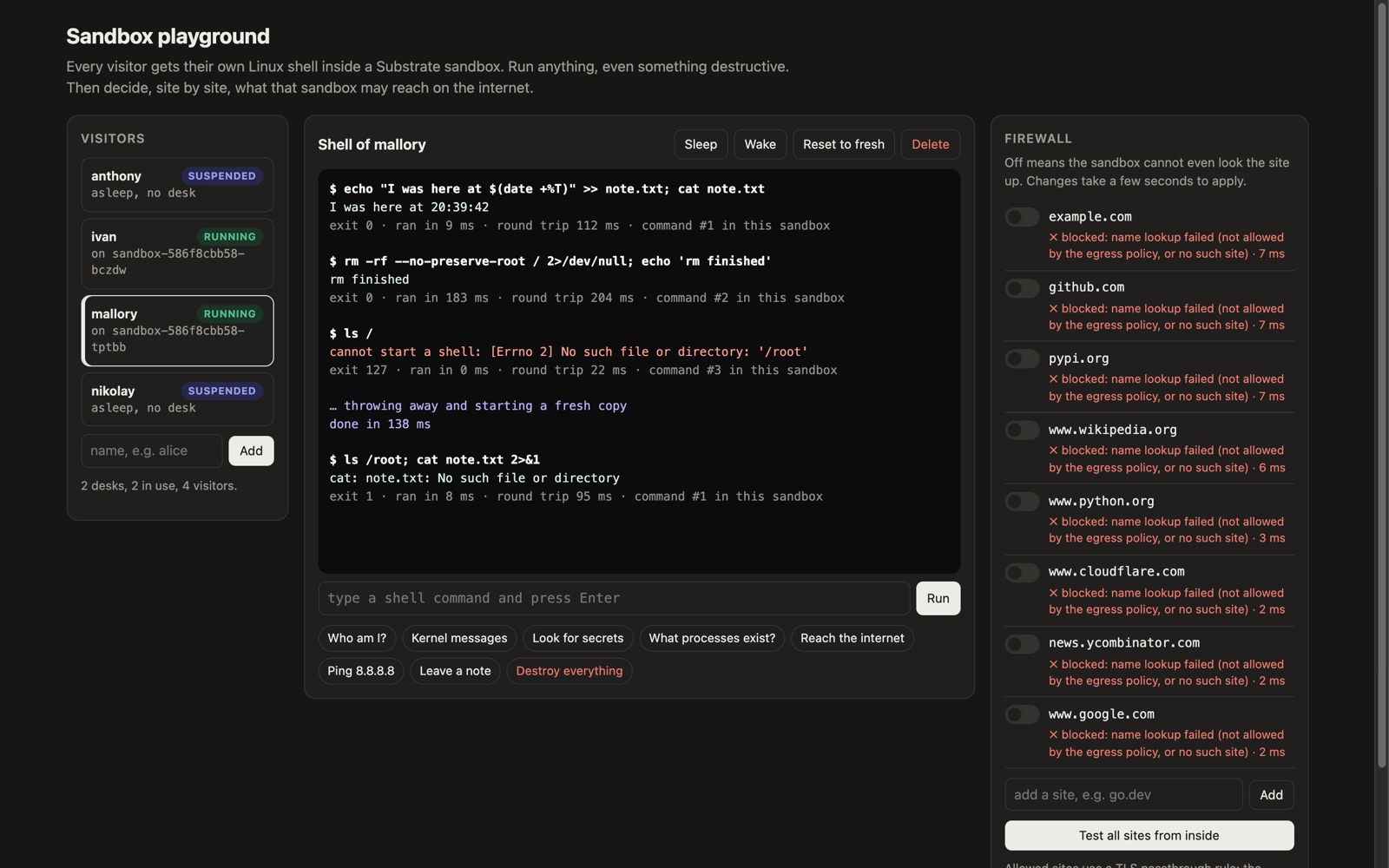
A sandbox starts with no egress policy, and no policy means no network. Not even name lookups work:
$ curl -sS -m 8 -o /dev/null -w 'HTTP %{http_code}\n' https://github.com
HTTP 000
curl: (6) Could not resolve host: github.com
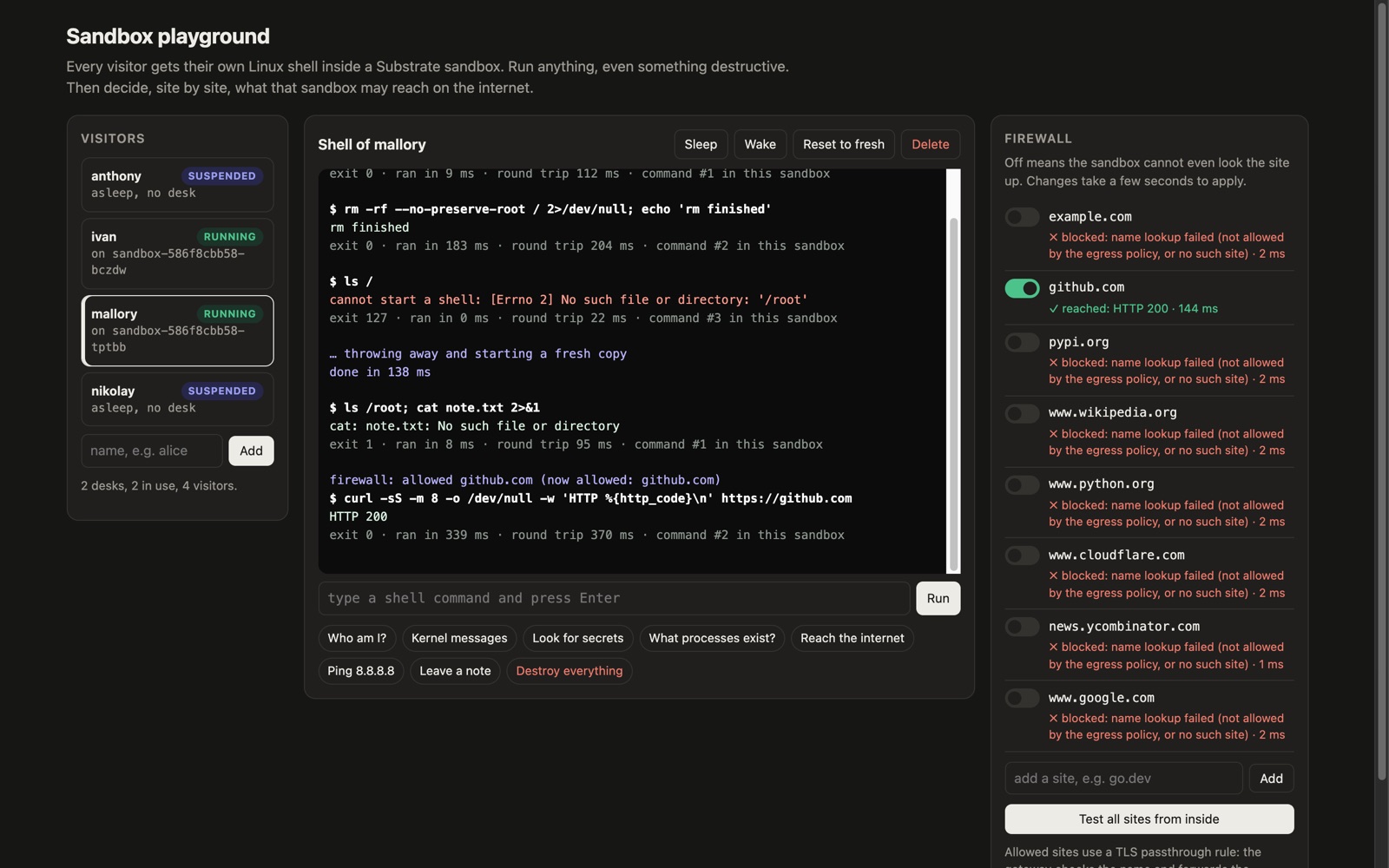
I switched github.com on. The very next try still failed; a few seconds later the same command returned HTTP 200. Switching it off made it unreachable once more, after the same short lag. Substrate's docs say a policy change reaches the sandbox's DNS within about 5 seconds, which matches what I saw.
So how does the firewall actually work? Reaching a website takes two steps. First, the computer looks the site up in a phone book (called DNS), which turns github.com into a number like 140.82.121.3. Then it calls that number. Substrate puts a lock on each step.
Lock 1: a fake phone book. The sandbox doesn't get the real phone book. It gets one that lists only the sites I've switched on. Ask it for anything else and the answer is "no such site". That's the Could not resolve host error above.
Lock 2: a guard at the only door. A clever program could skip the phone book and dial the number directly. That doesn't help. Every connection leaving the sandbox goes through a guard outside it, the egress gateway. Each sandbox carries its own ID badge (a certificate), so the guard knows who is calling. It checks the destination against that sandbox's list and hangs up if it isn't there.
The guard doesn't read your traffic, either. An HTTPS connection is like a sealed letter with the site's name written on the envelope. The guard reads "to: github.com", checks the list, and passes the letter on unopened. Substrate calls this TLS passthrough.
Each switch in the playground rewrites one visitor's list and nobody else's.
Why does this matter? Imagine a malicious web page tricks an agent into running code that tries to send your files to evil.com. That code can't look evil.com up, and it can't call it either. Your data can only go where you've allowed it to.
4. Get at the neighbors#
Each visitor has its own files, memory and firewall. Destroying nikolay didn't touch ivan, and allowing github.com for nikolay allowed nothing for anyone else. The policy belongs to one actor.
The cheap part#
Safety is only half the story. If every user's sandbox needs its own machine running all day, this costs a fortune, because most sandboxes sit idle most of the time.
Substrate's answer is to put idle sandboxes to sleep. Suspending one saves its whole memory to storage and frees the worker ("desk") for someone else. When a request comes in for a sleeping sandbox, Substrate wakes it on any free worker, with its memory exactly as it was.
My playground had 3 visitors on 2 workers. Two were running; the third (anthony) was asleep with no worker at all, yet everything was still there when I woke it.
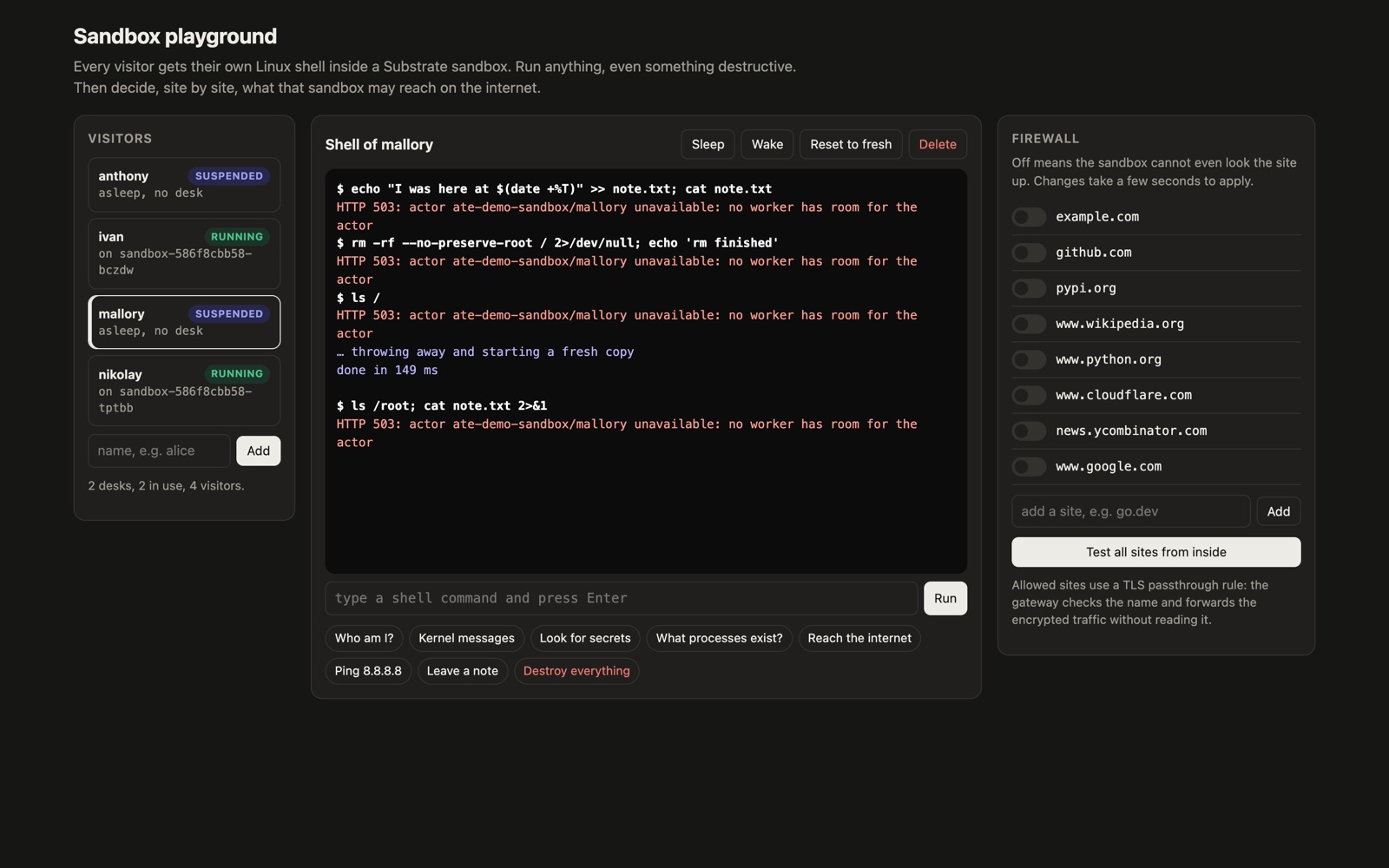
One surprise: Substrate didn't kick anyone off a worker for me. When I added a fourth visitor, mallory, while both workers were busy, every command came back with an error:
HTTP 503: actor ate-demo-sandbox/mallory unavailable: no worker has room for the actorPutting sandboxes to sleep is your job (or your app's). Once I put nikolay to sleep, mallory got the free worker, and the first command answered in 112 ms. So the savings depend on actually suspending idle sandboxes, for example after a few minutes without a request.
What I measured on my laptop:
| What | Time |
|---|---|
| Put a sandbox to sleep | about 70–100 ms |
| Wake it on a request | 89 ms |
| Throw a wrecked one away, get a fresh one | 138–232 ms |
Memory really survives. My sandbox counts commands in a plain variable in RAM, never written to disk. After a sleep and wake, the count carried on from where it was. After a reset, it started again at 1.
At that speed, a sandbox can sleep between a user's messages and they won't notice. The Substrate project says it can run hundreds of actors on a handful of pods (their example: about 250 on 8). I didn't test that scale; my number is 3 on 2.
What I did not test#
This was a laptop experiment, so here is what it doesn't prove:
- Only gVisor. Substrate can also use microVMs, which need hardware virtualization (KVM). My Mac doesn't expose it to the cluster, so I couldn't try them.
- No real escape attempts. I ran the obvious stuff a curious or careless user would try. I didn't attempt kernel exploits or attack gVisor itself. That's a job for security researchers, and gVisor has its own track record there.
- No scale. One kind cluster, 2 workers, 4 sandboxes. Not GKE, not thousands of users.
- Early software. Substrate is new and changing fast. The commands and timings here may not hold for later versions.
Takeaway#
I went in trying to break it. I wiped a sandbox's whole filesystem, poked at the kernel, and tried to reach the internet without permission. Each time, the damage stayed inside one sandbox, the network stayed shut until I opened it site by site, and a clean copy was a quarter of a second away.
That changes how I think about letting an agent run code. You don't need to trust the code. You need it to be cheap to contain and cheap to throw away, and on my laptop it was both.
Try it yourself#
You need Docker, Go, kind and kubectl. Then, roughly:
- Clone
github.com/agent-substrate/substrateand follow its local (kind) setup guide. - Deploy the counter demo once, to check that the cluster works.
- Put any small program in an actor template. Mine is a tiny Python server that runs whatever shell command it gets.
- Create a few actors, give each its own egress policy, and try to break them.
If you build something like my playground, keep it on localhost. It runs any command anyone types.